New in 0.5: World of Warcraft, Red Dead Redemption 2, The Witcher 3 Remastered and touch controls

PC games on your iPhone.

Playport runs Windows games, 64-bit and 32-bit, on a stock, non-jailbroken iPhone. Install a game from Steam, GOG, Epic Games or Battle.net, or bring your own, pick up a controller or play with on-screen touch controls, and press Play. It runs on the phone's own CPU and GPU: no PC, no cloud, no stream.

No jailbreak No streaming Open source, GPLv3
The Playport logo: a porthole with a play button behind the glass

On the phone

Running on an iPhone, right now.

Screenshots and screen recordings from an A19 Pro iPhone. Every frame is rendered on the phone.

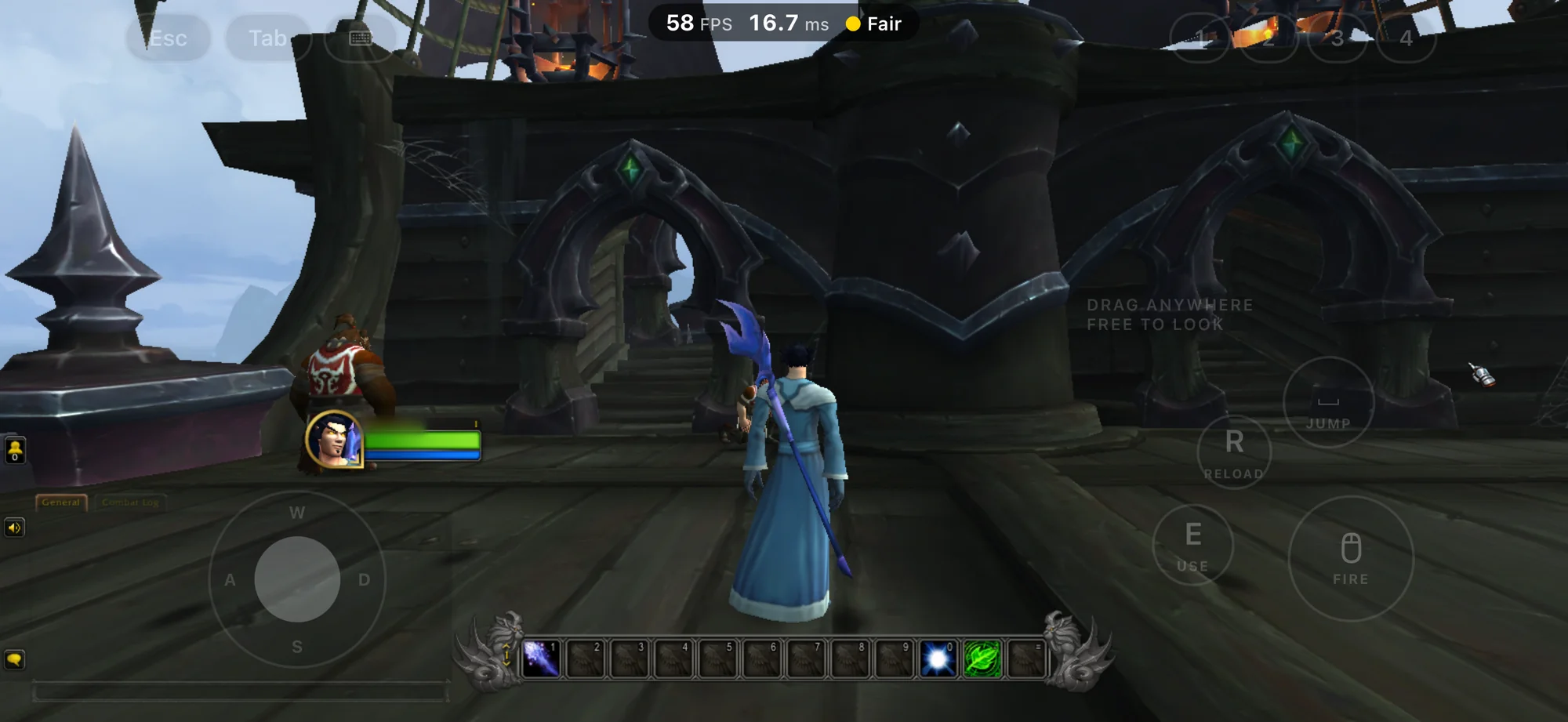
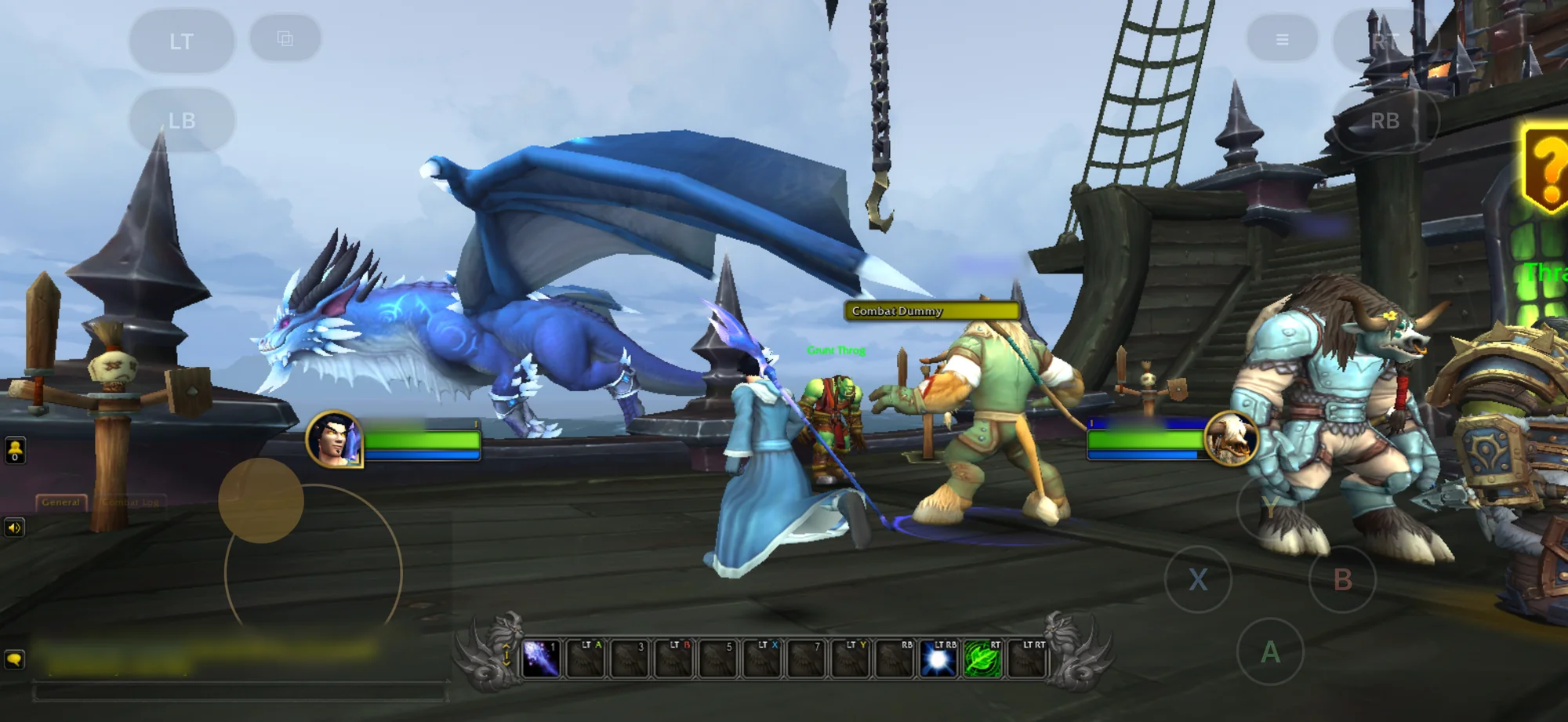
World of Warcraft on a ship's deck, a mage in a blue robe seen from behind, with on-screen Esc, Tab, number, Jump, Reload, Use and Fire buttons, a movement stick and the performance overlay
World of WarcraftNEW IN 0.5Installed from Battle.net and played with nothing but the phone: on-screen keyboard and mouse controls, drawn over the game.
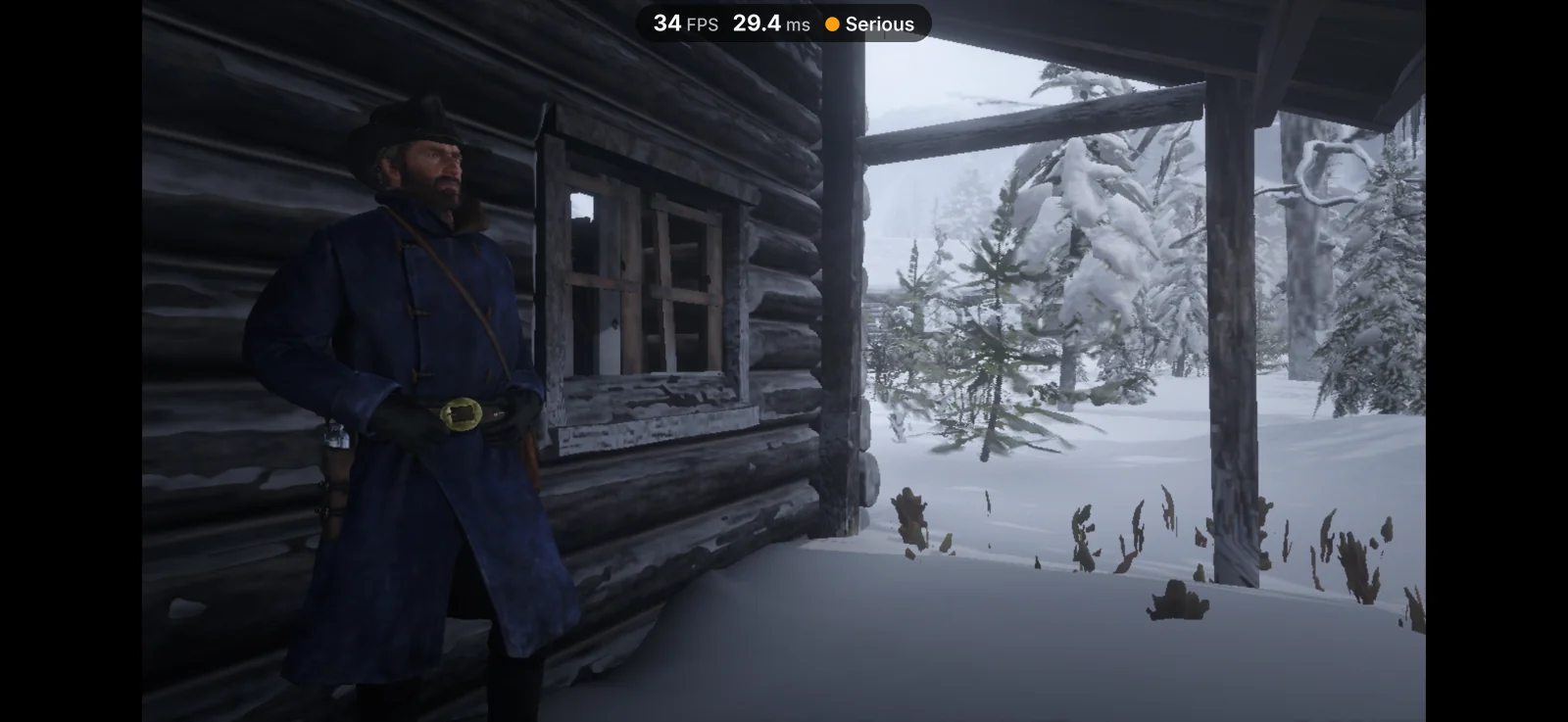
Red Dead Redemption 2: Arthur Morgan in a winter coat on a snowy cabin porch, snow-covered pines beyond
Red Dead Redemption 2NEW IN 0.5Story mode in the snow, signed in through Rockstar's own launcher.
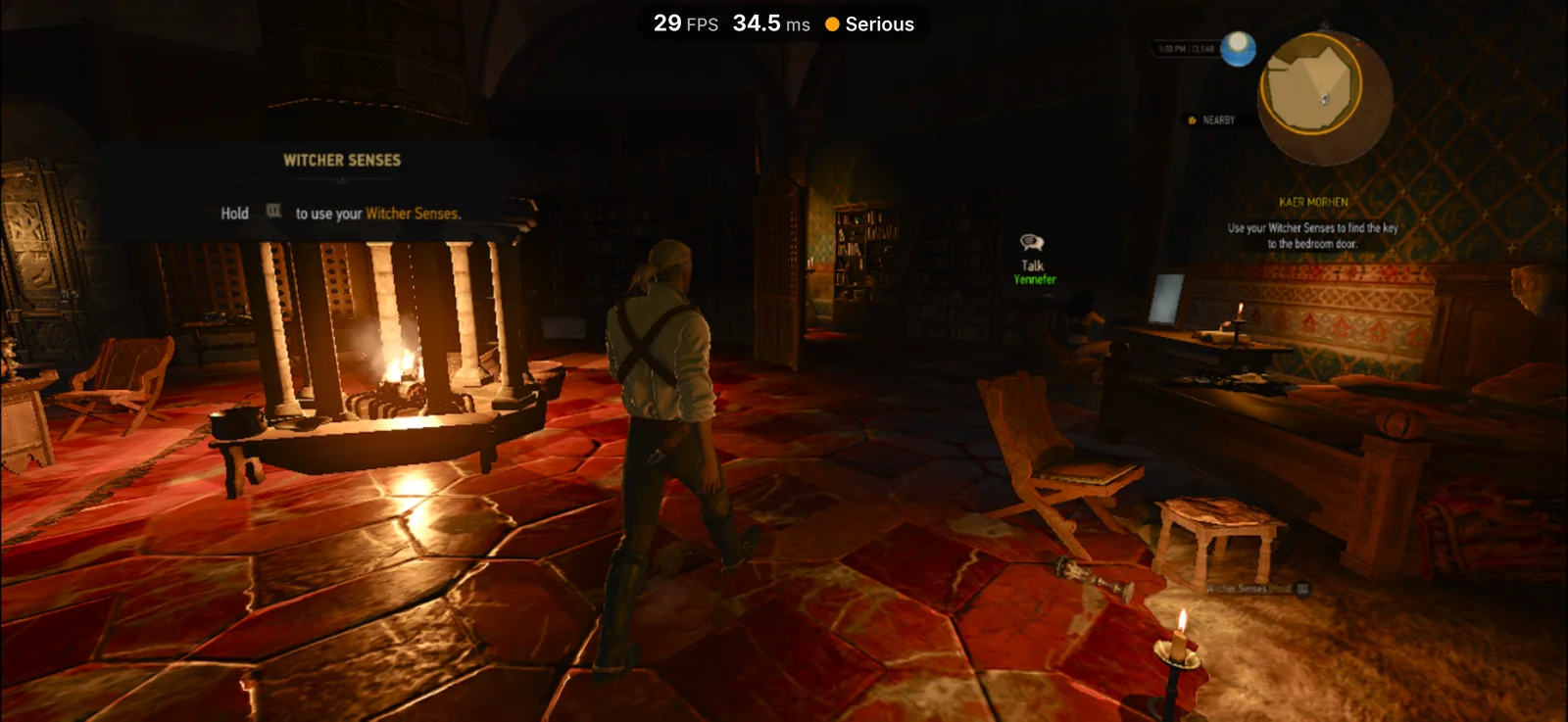
The Witcher 3: Geralt walking through a hall in Kaer Morhen past a lit fireplace, on a red stone floor
The Witcher 3: Wild Hunt – RemasteredNEW IN 0.5The current, remastered version, in Kaer Morhen.
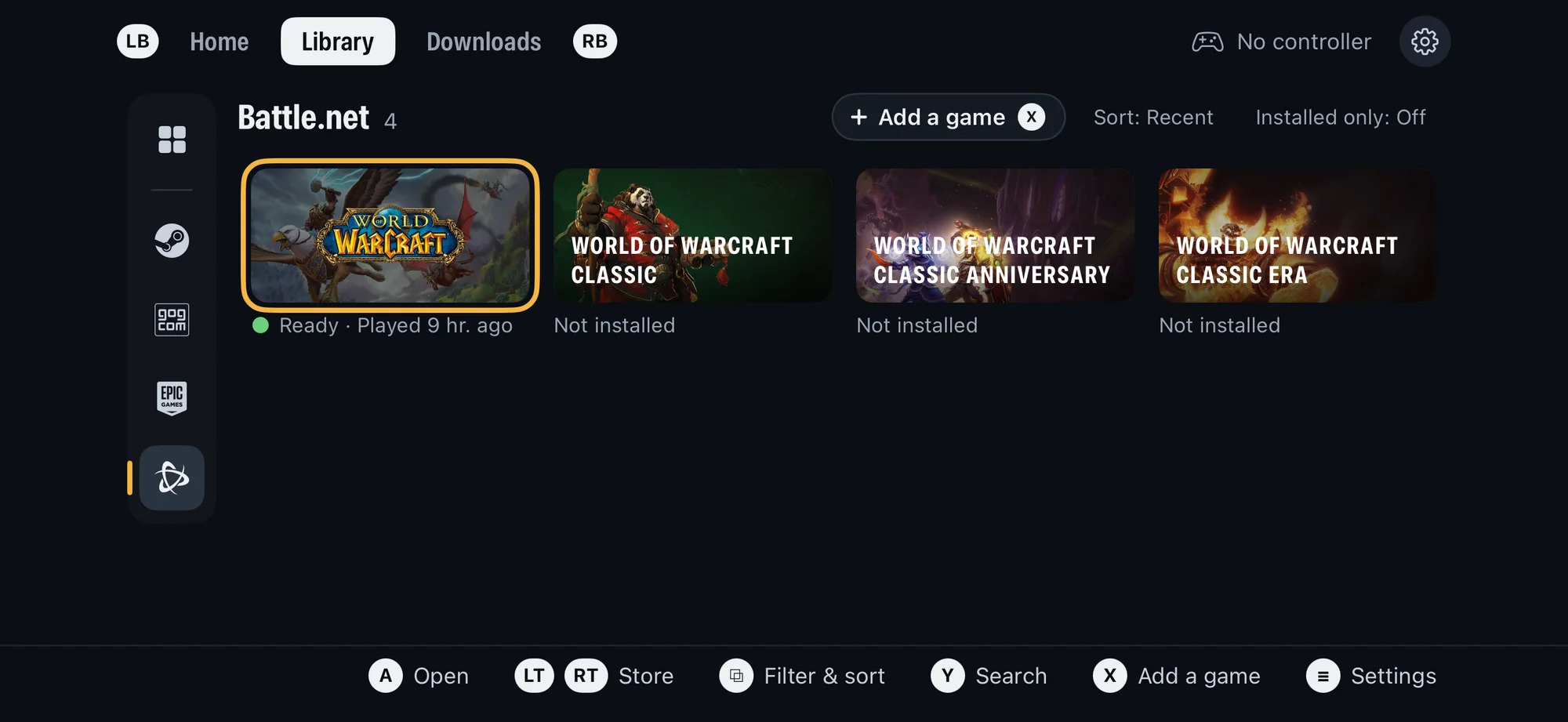
Playport's Library with the Battle.net store selected: World of Warcraft ready to play, and World of Warcraft Classic, Classic Anniversary and Classic Era not installed
Battle.netNEW IN 0.5World of Warcraft and its Classic editions, in the same Library.
World of Warcraft: a mage in a blue robe on a ship's deck past a blue dragon and a combat dummy, with on-screen gamepad buttons
Touch controlsNEW IN 0.5No controller? Pick a gamepad, keyboard and mouse, or point and click layout.
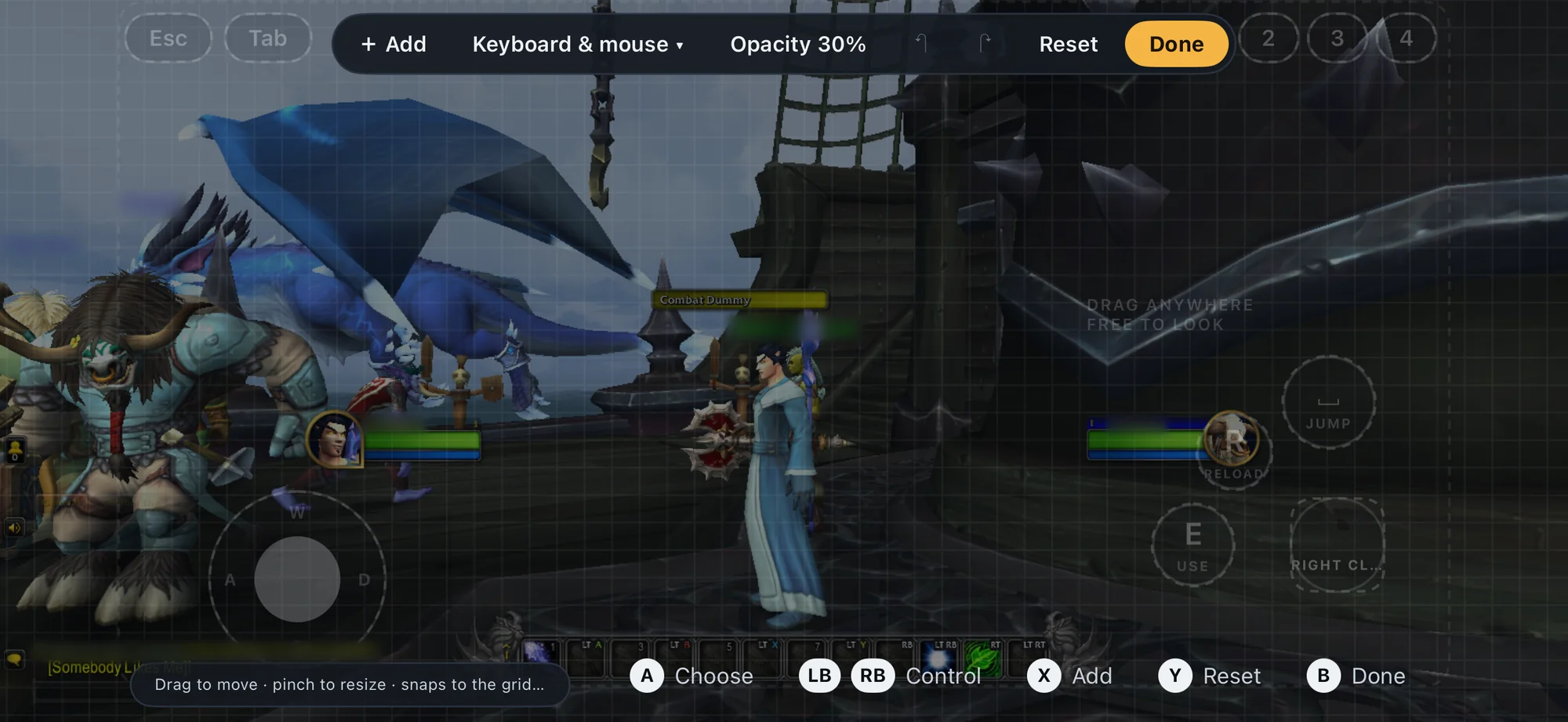
The touch layout editor over World of Warcraft: Add, Keyboard & mouse, Opacity 30%, Reset and Done above a grid, with the buttons outlined to move and resize
Layout editorNEW IN 0.5Move, resize and add buttons, and set how see-through they are.
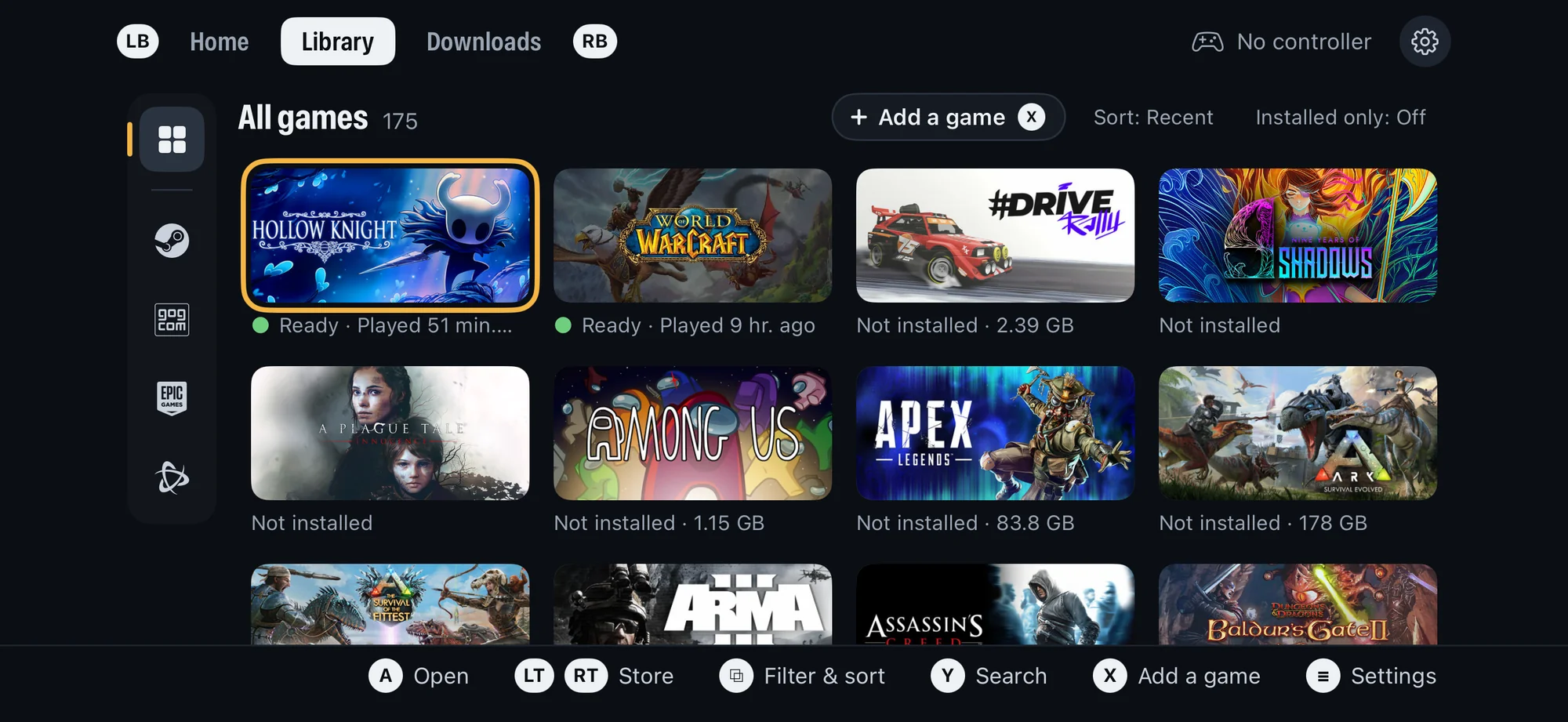
Playport's Library page: All games, 175, with Steam, GOG, Epic Games and Battle.net in a column of store icons, Hollow Knight and World of Warcraft ready to play
LibraryEverything you own on Steam, GOG, Epic Games and Battle.net, installed or not.
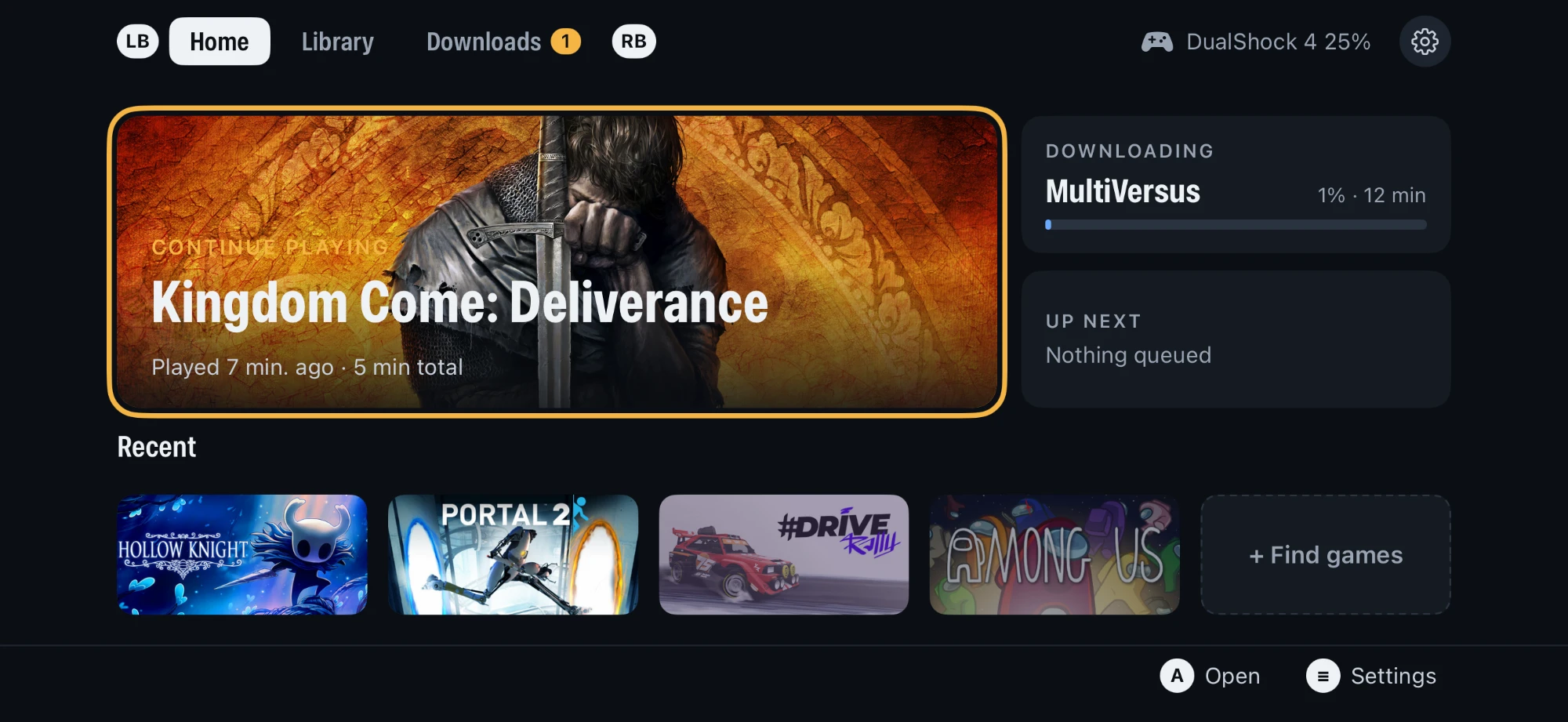
Playport's Home page: Continue playing Kingdom Come: Deliverance, a download in progress, and recent games
HomePick up where you left off, and watch your downloads.
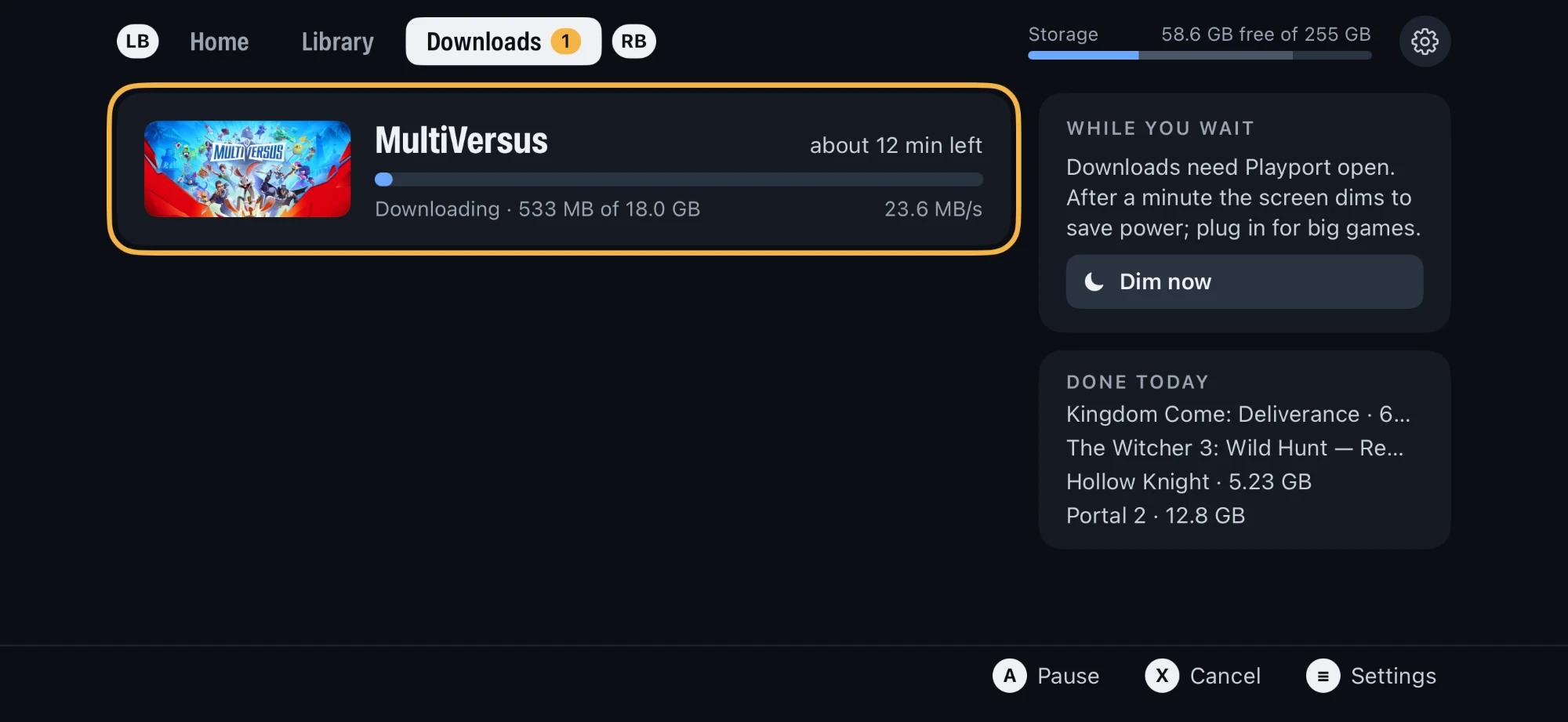
Playport's Downloads page: a game downloading at 23.6 MB/s, free storage, and the games finished today
DownloadsInstall straight from your store onto the phone.
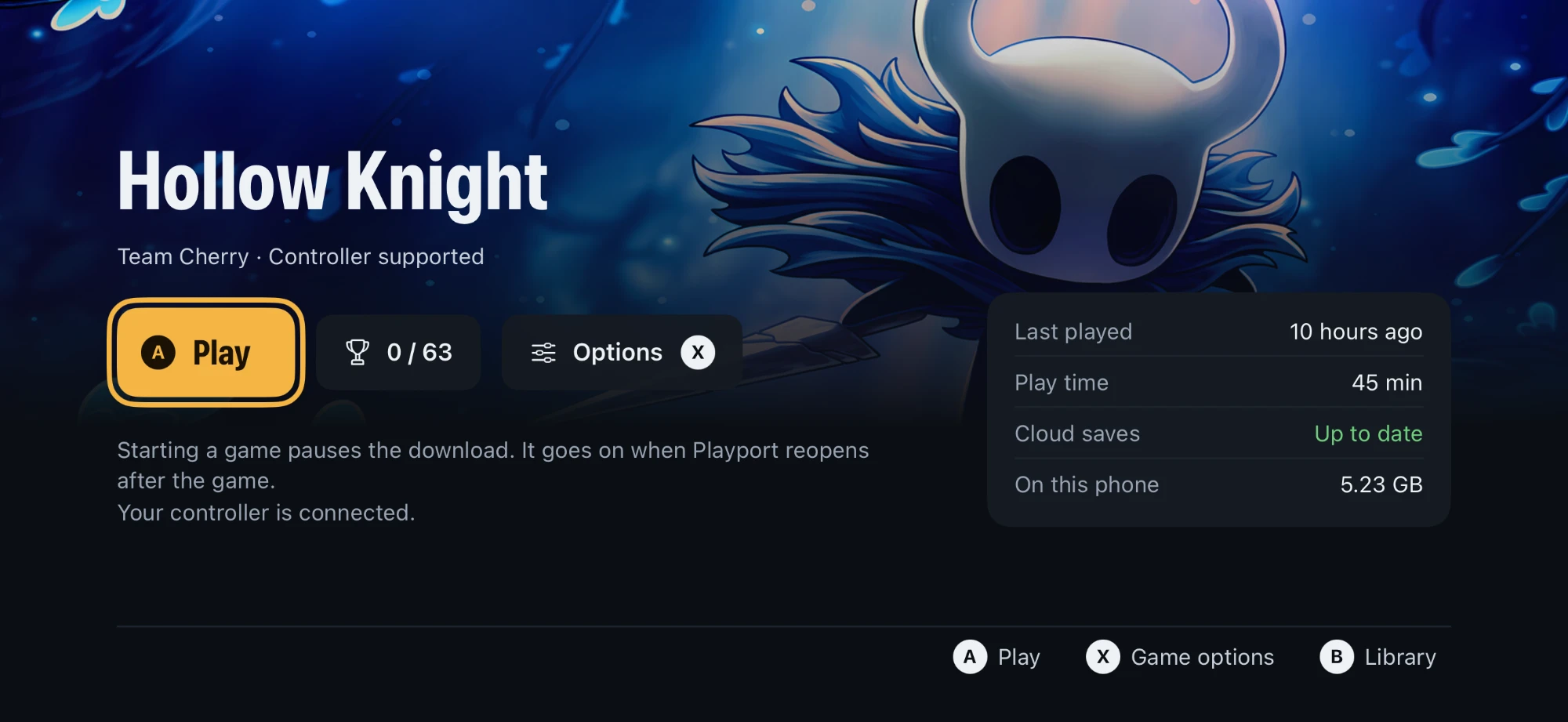
Hollow Knight's game page in Playport: Play, achievements, options, play time and cloud saves
Game pagePlay, achievements, per-game options and cloud saves.
Portal 2, a 32-bit game, uncutFrom Home to Play to a test chamber: Direct3D 9 through DXVK and KosmicKrisp, 60 fps at 720p, both portals.
Library to gameplay, uncutHollow Knight from the Play button: Direct3D 11 through DXMT, 60 fps capped at 720 rows, then Quit back to Home.
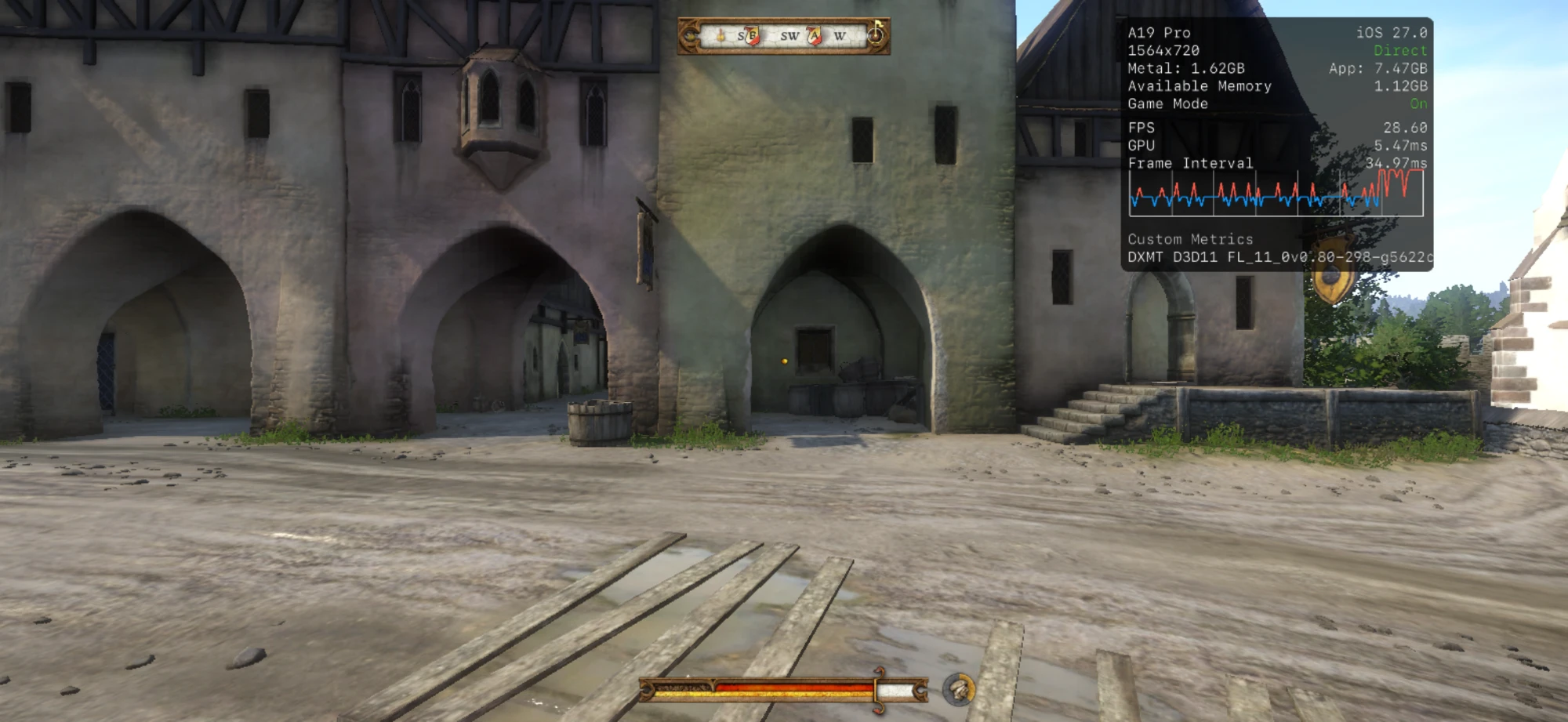
Kingdom Come: Deliverance: a street in Rattay, with Metal's HUD showing about 29 frames per second at 1564 by 720 through DXMT's Direct3D 11, Game Mode on
Kingdom Come: DeliveranceWalking Rattay through DXMT's Direct3D 11, about 29 fps at 720 rows, with Game Mode on.
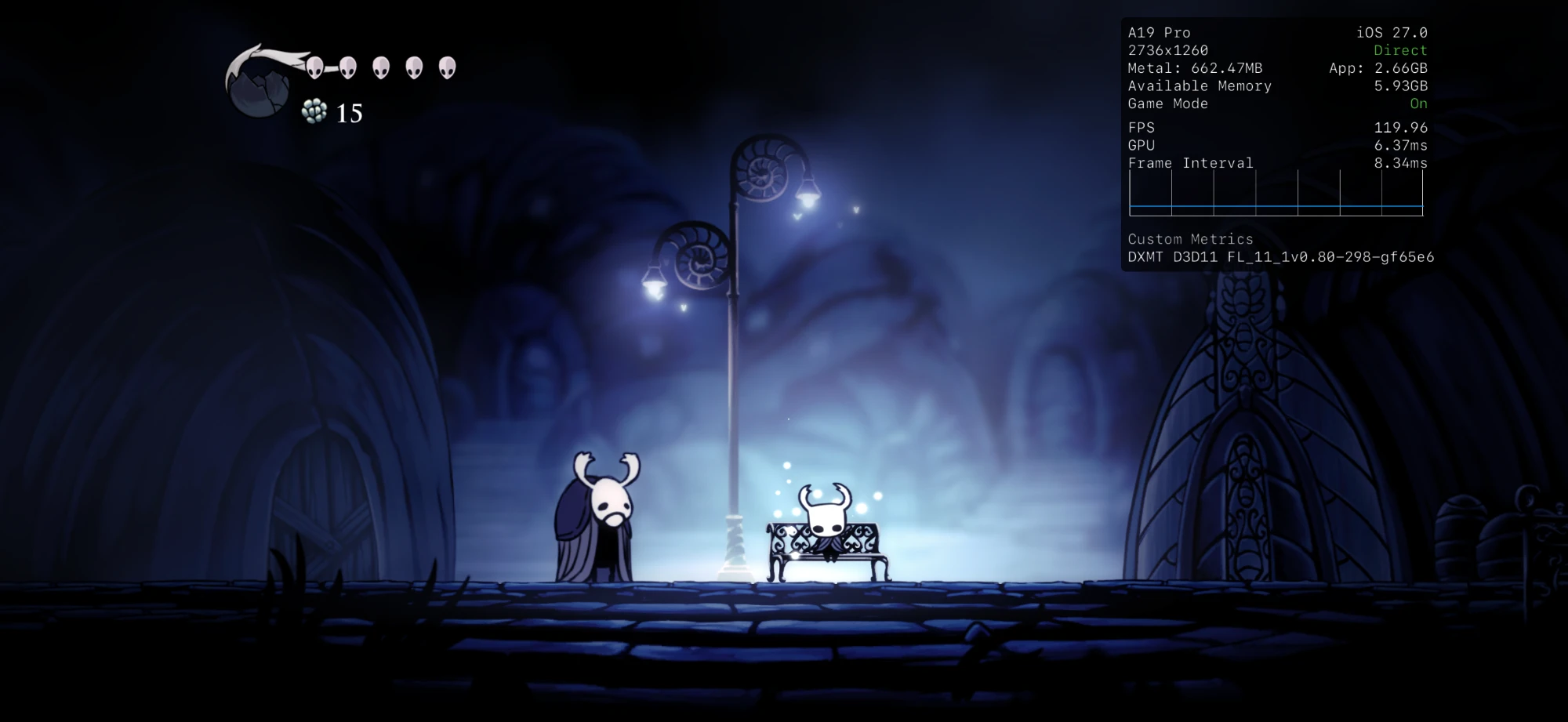
Hollow Knight: the Knight resting on a bench in Dirtmouth, with Metal's HUD showing 120 frames per second at 2736 by 1260
Hollow KnightAt the screen's full 2736×1260, up to 120 fps.

Why Playport

The real games, not a stream of them.

A Windows .exe starts on the iPhone as it would on a PC, translated and rendered on the device, with a controller in your hands.

Steam, GOG and Epic GamesNEW IN 0.4

Sign in to any of the three in Settings › Accounts and your Windows games from each show up in one Library, with the store's own artwork. Install, Update, Verify and Repair go through one Downloads queue, straight onto the phone. Steam brings cloud saves and achievements.

Add a game from FilesNEW IN 0.4

Have a DRM-free PC game? Pick its folder or a .zip in Files and it joins your Library under Local.

Games sign in to their storeNEW IN 0.4

A game gets what its store's launcher would give it: Epic's sign-in, Steam's tickets, GOG Galaxy's sign-in. A sign-in page a game opens shows in a panel over the play.

32-bit games

iOS keeps the lowest 4 GB of memory to itself, exactly where a 32-bit Windows game has to live. Playport gives each 32-bit game its own 4 GB window higher up and translates every memory access as it runs, so the game never notices. Portal 2 plays at about 60 fps at 720p, with both portals, sound, a controller, saves and Steam Cloud.

Native on the phone

Wine, the FEX x86 translator and the graphics backends run together inside one iOS app, rendering on the phone's own GPU through Metal.

Vulkan, with KosmicKrisp

Every game's default graphics backend: Vulkan on KosmicKrisp, Mesa's Vulkan driver for Metal, ported to iOS. It draws Direct3D 8 to 11 through DXVK, Direct3D 12 through vkd3d-proton and OpenGL through Zink. DXMT stays one choice away for Direct3D 10 and 11.

Made for a controller

A landscape, gamepad-first interface and an in-game menu to pause, resume or quit. Controllers reach the game as XInput.

More than a repackage

Over 200 of our own patches on top of our dependencies: the 32-bit runtime, performance and compatibility work (faster FEX translation for Unity games, x87 math at native precision, lossless texture compression kept on in DXMT and KosmicKrisp, geometry shaders and transform feedback in KosmicKrisp, feature level 12_0 in vkd3d-proton), dozens of bug fixes, and the diagnostics behind them. Each one is a reviewable patch with the evidence for it.

JIT your way

The app carries its own JIT helper, so every Play works from the phone alone after a one-time pairing. Already use StikDebug or LiveContainer? Playport takes JIT from them too.

How it works

A Windows PC, folded into one app.

iOS allows no second process and no JIT without a debugger, so Playport runs Wine's whole multi-process design as threads of a single app, with its own JIT helper attached for every launch.

x86 code
Game.exe64-bit or 32-bit Windows
FEXx86-64 and x86 to ARM64, JIT
Apple siliconthe phone's CPU
Windows API
Win32 callsfrom the game
WineARM64EC, WoW64 for 32-bit, Proton 11 commits
iOSfiles, input, sound
DXMT (option)
D3D10, D3D11
DXMTDirect3D to Metal
Metalthe phone's GPU
Vulkan (default)
D3D8 to 12and OpenGL through Zink
DXVK, vkd3d-protonDirect3D to Vulkan
KosmicKrispVulkan on Metal
Metalthe phone's GPU

All of it is one iOS process: the wineserver is a thread, each Windows program a pseudo-process with its own PEB, each 32-bit game gets its own 4 GB window, and the translated code lives in a JIT pool the app's own helper unlocks. Read the architecture.

Get started

Three steps to Play.

No computer needed after you install it. The app walks you through the rest.

  1. Download

    Get the latest .ipa from the project's Releases.

  2. Sideload

    Sign it with your own Apple ID using a sideloader that keeps Increased Memory Limit (below). Keep app extensions if asked: the JIT helper is one.

  3. Pair and play

    Open Playport. Its checklist pairs the JIT helper once, turns on LocalDevVPN, checks Memory and signs you in to Steam, GOG or Epic Games.

Keep the memory limit

Games, the runtime and Playport's JIT share one memory limit. With Increased Memory Limit an iPhone gives Playport 6 to 8 GB; without it, about 3.3 GB, and bigger games will not start. The .ipa asks for it, but only some sideloaders turn it on with Apple. Playport's Memory step shows a tick when yours did.

SideloaderKeeps Increased Memory Limit
AltStore Classic 2.2 or laterYes
Impactor, from a computerYes
Xcode with a Personal TeamYes
SideStore 0.7.0, free Apple IDNo: do the one-time fix below
Sideloadly and othersCheck the Memory step

SideStore: when Memory has no tick

  1. Install Playport with SideStore as usual, so its App ID exists.
  2. Sideload GetMoreRam and, in its Settings, sign in with the same Apple ID SideStore uses.
  3. On its App IDs page tap Refresh, tap Playport's App ID, then Add Increased Memory Limit.
  4. Reinstall Playport from SideStore. It upgrades in place: your games and saves stay.
  5. Open Playport: the Memory step has its tick, and Settings › Setup check shows Increased Memory Limit On.

The capability stays on the App ID, so SideStore's weekly refresh keeps it; if the tick ever goes away, repeat steps 3 and 4. GetMoreRam takes one of a free Apple ID's three app slots: delete it afterwards.

Why pairing and LocalDevVPN

Playport translates a game's x86 code to ARM as it runs, which needs JIT, and iOS allows JIT only in an app a debugger has attached to. Pairing makes Playport's own JIT helper that debugger: on iOS 27 you pair once, with a code in Settings › Privacy & Security › Developer Mode, and LocalDevVPN carries the connection on the phone itself. On iOS 26, import a pairing file in Settings › Setup check instead. Already use StikDebug or LiveContainer? Settings › Setup check › JIT method takes JIT from them.

Something not working?

On the game's page, Report a problem shares its logs as one .zip (before 0.4.0 the bare log: long-press it in Files and choose Compress). Save it to Files and attach it to a GitHub issue, with your device, iOS and Playport versions and how you sideloaded: that is where we read them all.

Played a game, working or not? Check the compatibility list and report it: it goes on the list.

Support Playport

Free for everyone. Kept alive by you.

Playport costs nothing and never will. Getting World of Warcraft, Red Dead Redemption 2 or The Witcher 3 running on a phone takes a lot of work, game by game. If Playport put a PC game in your pocket, please consider a donation on Ko-fi: it is what keeps new releases coming.

A donation is a gift: it buys no licence, no extra rights and no different build, and everyone may keep sharing Playport under its licence.
Support on Ko-fi

Good to know

Early, and honest about it.

Playport is young. Here is what to expect.